
Inside:
 Product Information
Marketing
Material
Forecast Form
Affiliate Management
Affiliate
Manual
Sales Tips
Contact Us:
ISP Alliance Sales
(770) 888-8900
6230 Shiloh Rd. Ste 200
Alpharetta, GA 30005
Customer Screen
The customer screen is used to create, modify, and delete customers. You can add accounts to their record, add, modify, or delete customer orders. You can change passwords, addresses, and add new options. To get to the customer screen, you must go through this section.
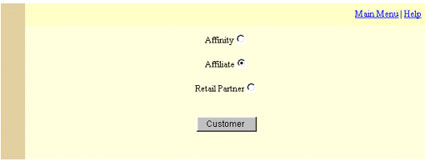
You must first select what kind of customer you are going to create, i.e. affinity customer, an affiliate customer, or a retail partner customer. For affiliates signing up their customers, place the dot next to "Affiliate".


Send questions and
comments about our site to webmaster@ispalliance.net
©
Copyright © 2000 ISP Alliance, Inc. All rights reserved. | Y2K
/ Legal Information